

Ofline
Создадим HTML-код описание которого можно посмотреть на самом Youtube API и закидываем в папку проекта ехе файла.
HTML-код: test.html
Создаем форму, бросаем на форму WebBrowser, находим в Объектах FormCreate и нажимаем создать, прописываем код.
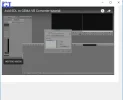
Также можно всё подстроить под свой вкус.Запускаем проект и смотрим видео.
HTML-код: test.html
Код:
<!DOCTYPE html>
<html>
<head>
<!-- // this is needed to force our embedded browser to run in EDGE mode -->
<meta http-equiv="X-UA-Compatible" content="IE=edge">
</head>
  <body>
    <!-- 1. The <iframe> (and video player) will replace this <div> tag. -->
    <div id="player"></div>

    <script>

      // 2. This code loads the IFrame Player API code asynchronously.
      var tag = document.createElement('script');

      tag.src = "https://www.youtube.com/iframe_api";
      var firstScriptTag = document.getElementsByTagName('script')[0];
      firstScriptTag.parentNode.insertBefore(tag, firstScriptTag);

      // 3. This function creates an <iframe> (and YouTube player)
      //    after the API code downloads.
      var player;
      function onYouTubeIframeAPIReady() {
        player = new YT.Player('player', {
          height: '390',
          width: '640',
          videoId: '-KntLrjQ6JE',
          playerVars: { 'autoplay': 1, 'controls': 0 }, // this is essential for autoplay
          events: {
            'onReady': onPlayerReady,
            'onStateChange': onPlayerStateChange
          }
        });
      }

      // 4. The API will call this function when the video player is ready.
      function onPlayerReady(event) {
        event.target.setPlaybackQuality('highres');
      }

      // 5. The API calls this function when the player's state changes.
      //    The function indicates that when playing a video (state=1),
      //    the player should play for six seconds and then stop.
      var done = false;
      function onPlayerStateChange(event) {
        if (event.data == YT.PlayerState.PLAYING && !done) {
          setTimeout(stopVideo, 6000);
          done = true;
        }
      }
      function stopVideo() {
        player.stopVideo();
      }
    </script>
  </body>
</html>
Создаем форму, бросаем на форму WebBrowser, находим в Объектах FormCreate и нажимаем создать, прописываем код.
Код:
procedure TForm1.FormCreate(Sender: TObject);
begin
  WebBrowser1.Navigate(ExtractFilePath(ParamStr(0)) + 'test.html');
end;
Также можно всё подстроить под свой вкус.Запускаем проект и смотрим видео.